Built-in network blocking
Blanc stops ads, trackers, and fingerprinting requests at the network layer—no extension required.
press
Blanc press kit · independent browser
No permanent tab row, no required account, and no AI assistant competing for attention. Open the island when you need it; give the rest of the window back to the web.
try the island
Use this enlarged recreation exactly as a reader would: open the island, search, switch tabs, choose a named group, then press Escape and let the website take over again.
Blanc stops ads, trackers, and fingerprinting requests at the network layer—no extension required.
Open a private tab and it stays out of history, recently closed tabs, and the next launch.
Take Favorites, settings, and optional open tabs across devices without giving Bananify a readable copy.
Download it, open it, and browse. No signup, identity handoff, or ecosystem membership required.
No assistant waits over your browsing or acts on your behalf. You decide where to go and what to do.
why readers will notice
Blanc is for people who want a quieter, more direct way onto the web—not another interface asking for attention.
| Dimension | Traditional browser | Agent browser | Blanc |
|---|---|---|---|
| Always on screen | Tab strip + toolbar | Chat or agent surface | One island, expanded on demand |
| Who drives | You navigate | Software may act for you | You stay in control |
| Cost model | Varies by vendor | Often subscription access | Free browser + optional Patron support |
| Ad and tracker protection | Often added by extension | Not usually the focus | Built into the network layer |
| Default experience | Controls surround the page | An agent joins the task | The website stays center stage |
Products vary within each category. This comparison describes the different product models—not every browser or every feature.
measured, not claimed
Reviewers ask what a small browser costs to run. Six ad-heavy news sites, open in every browser, on the same Mac in the same sitting.
| Browser | Memory used |
|---|---|
| Blanc | 1.3 GB |
| Brave | 1.7 GB |
| Zen | 3.2 GB |
| Chrome | 5.6 GB |
| Vivaldi | 5.9 GB |
press assets
Download high-resolution product imagery, launch artwork, and the Blanc mark. Each visual shows the real interface without turning another website’s brand into the story.
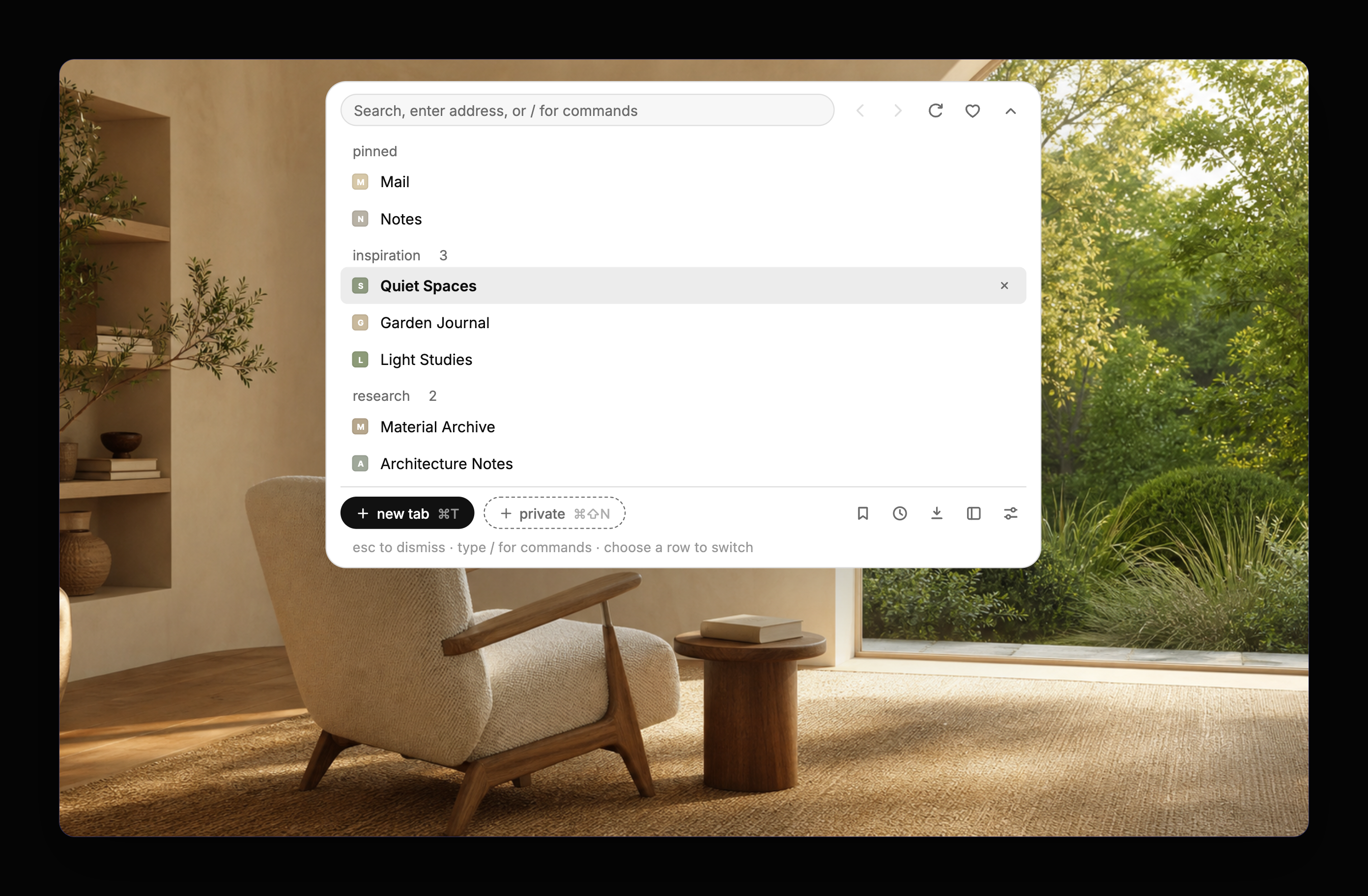
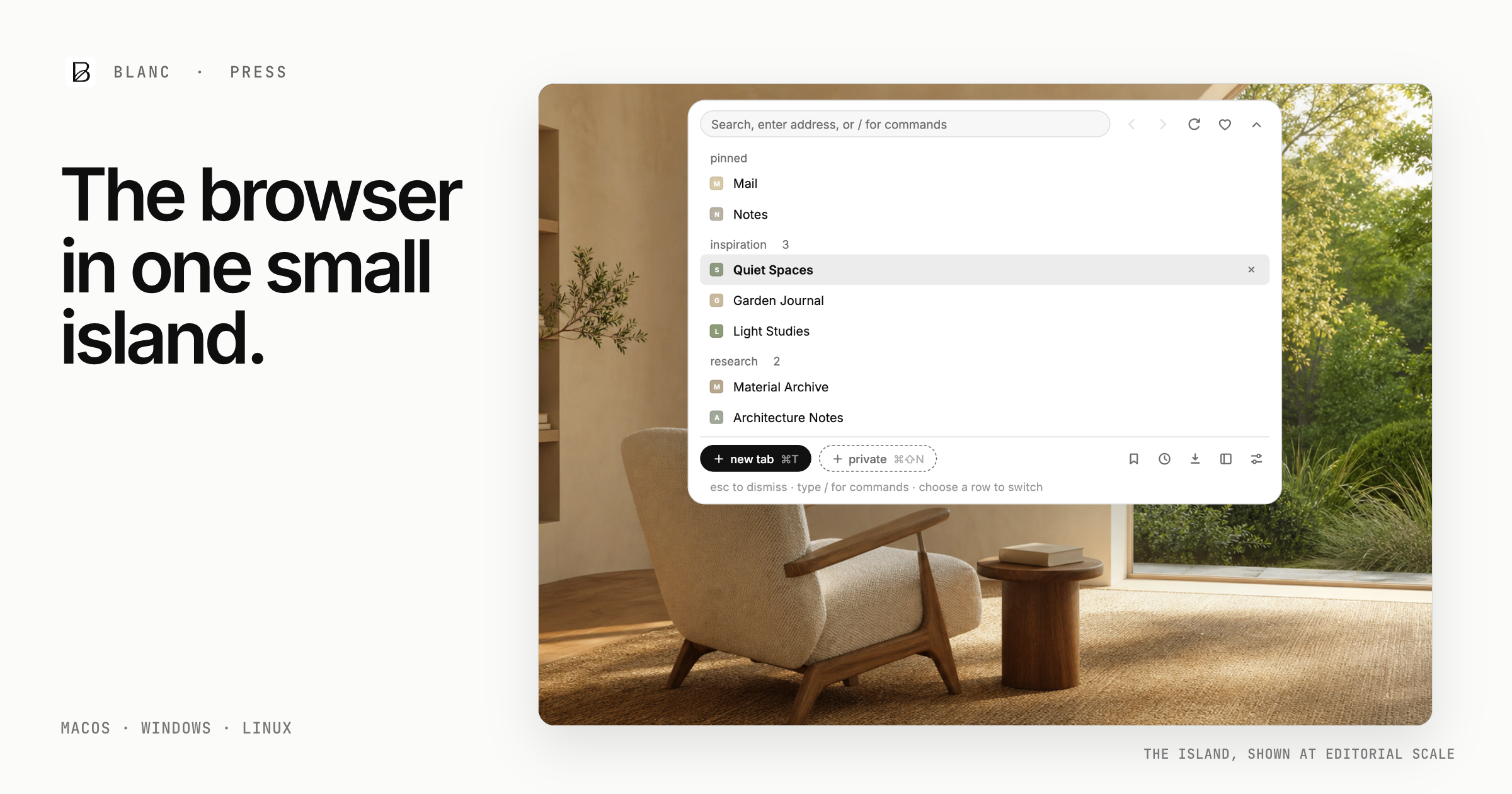
Need a different crop, background, or product state? Ask Anthony J. Loria directly.
the launch story
Blanc clears away the tab-row anxiety, AI interruptions, and account pressure surrounding the modern web.
New York · August 2, 2026For immediate release
Bananify today released Blanc 1.0, a free independent browser for macOS, Windows, and Linux built around one simple conviction: the website should be the main event.
Bananify founder Anthony J. Loria created Blanc after watching the browser itself become increasingly difficult to ignore. Permanent controls, crowded tab rows, sidebars, recommendations, AI assistants, and a growing list of extras now compete with the reason people opened the browser in the first place.
Blanc takes the opposite approach. Navigation, tabs, named groups, and commands gather inside one small island that expands only when called. Finish the task and the island gets out of the way, leaving the page—not the browser—at center stage.
No more crowded tab-row anxiety. Every open tab stays within reach without occupying the top of every window all day.
The result is a throwback in spirit, not capability: the direct, open feeling of the earlier web paired with protections people now expect. Blanc blocks ads, trackers, and fingerprinting requests at the network layer. Private tabs stay out of history and are not restored later. Sync is optional and end-to-end encrypted.
At a time when fewer companies control more of people’s data and attention, Blanc makes a deliberately different trade: no required account, no extension marketplace, and no built-in assistant acting while you browse.
“I made Blanc because I missed when opening a browser felt like opening the web—not another product asking for my attention. I wanted the page to be the main event again: no AI bot, no parade of extras, and no requirement to hand over an identity just to browse.”
fact sheet
Blanc is a free independent browser from Bananify that replaces the permanent tab strip and toolbar with one expandable island, leaving the page at center stage.
reviewer path
Everything below is also available through Blanc’s visible buttons, tab controls, and menus. Commands simply give keyboard-oriented users a faster route.
Start with a slash. Press Command-L and type / to open Blanc’s command list. Keep typing to filter it, then press Return to run one.
/favorites/save [folder]/history/downloads/settings/clear/new/private/close/reopen/pin/mute/sleep/group <name>/ungroup/close-group/find/block-ads/allow-ads/1password/theme [system|light|dark]/patron/workspaceOrganize a real project. Open a few related tabs and type /group research. Use /pin for a tab you need nearby, /ungroup to pull one out, or /close-group when the task is finished.
Handle everyday browsing. Try /new, /private, and /find. Type /save reading to add the current page to a Favorites folder named “reading.”
Control Blanc without menu hunting. Use /block-ads to toggle blocking, /allow-ads to exempt the current site, /theme dark to change appearance, and /settings to see every device-level choice.
get the launch story
Anthony J. Loria
Creator of Blanc · Bananify
support@blancbrowser.com
Request an interview, fact-check a claim, troubleshoot a review build, or ask for a custom product capture. Every press inquiry reaches Anthony J. Loria directly.