Save this window or start a new set
Open the space control in the command panel or type /space. Anyone can save the current window or create a blank space.
Blanc Spaces
Switch spaces from the Island. Each space’s tabs and groups come back, even after you restart.
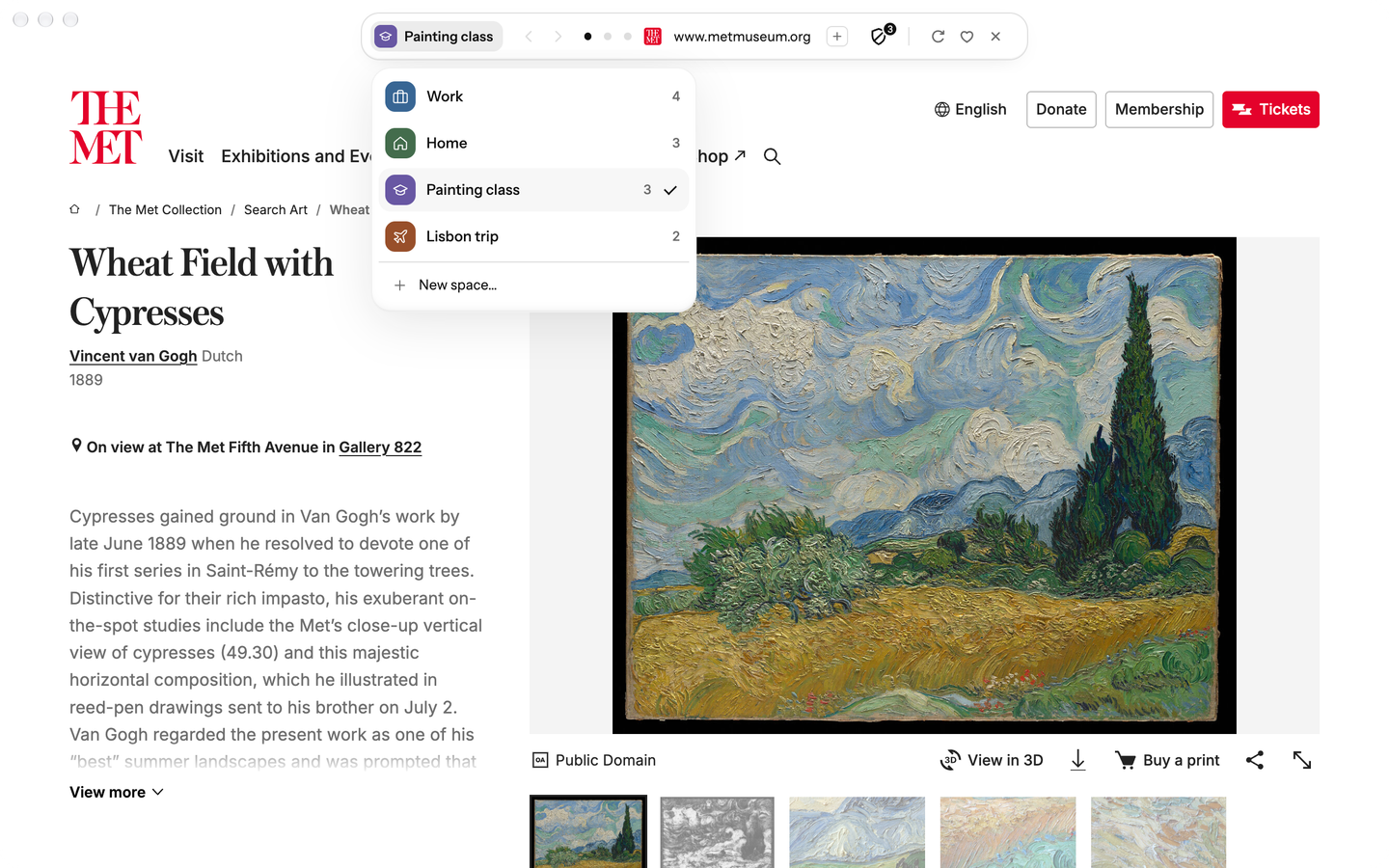
Open the space control in the command panel or type /space. Anyone can save the current window or create a blank space.
In Bring Your Tabs (type /bring-tabs), choose Arc, and each Space you pick becomes a space here, with its pinned tabs, its Today tabs and its folders as tab groups. Switching from Arc
A bound space automatically saves its tabs and groups as you browse and returns after relaunch. Switching replaces the current window’s set; a space already open elsewhere brings that window forward.
Give each space a colour and a symbol. The current space shows at the start of the Island; click it to switch, edit, reorder or delete a space, with Undo.
Create groups and assign tabs yourself. Blanc saves those choices; it does not detect tasks or organize tabs by meaning.
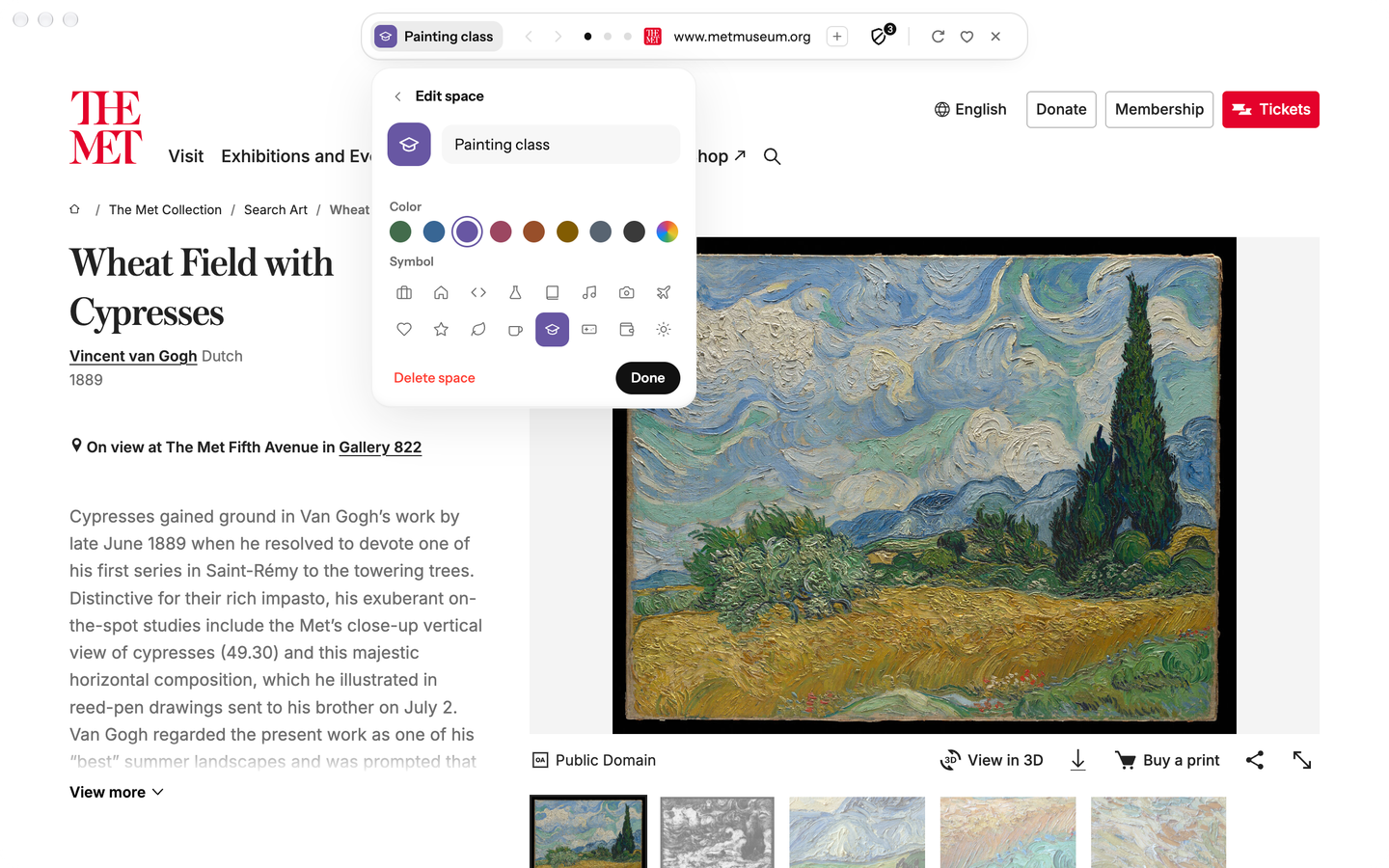
Blanc Spaces is free for everyone on macOS, Windows and Linux. Blanc Patron is an optional subscription that supports Blanc’s development; it doesn’t unlock any feature.
Your spaces stay in this profile and keep updating as you browse. Nothing about them depends on a subscription.
Private tabs are excluded from saved spaces. When a switch would discard private tabs or an unsaved window, Blanc asks you to make an explicit choice.